Have you ever wondered how streaming platforms deliver high-quality videos with minimal buffering? The secret lies in video encoding. Video encoding is crucial in compressing raw video to enable smooth streaming. It reduces file sizes without sacrificing quality, making it easier to stream across devices and different internet speeds.
In this post, you’ll learn how video encoders work and why they are essential for seamless video streaming.
What is a Video Encoder?
Definition of Video Encoders
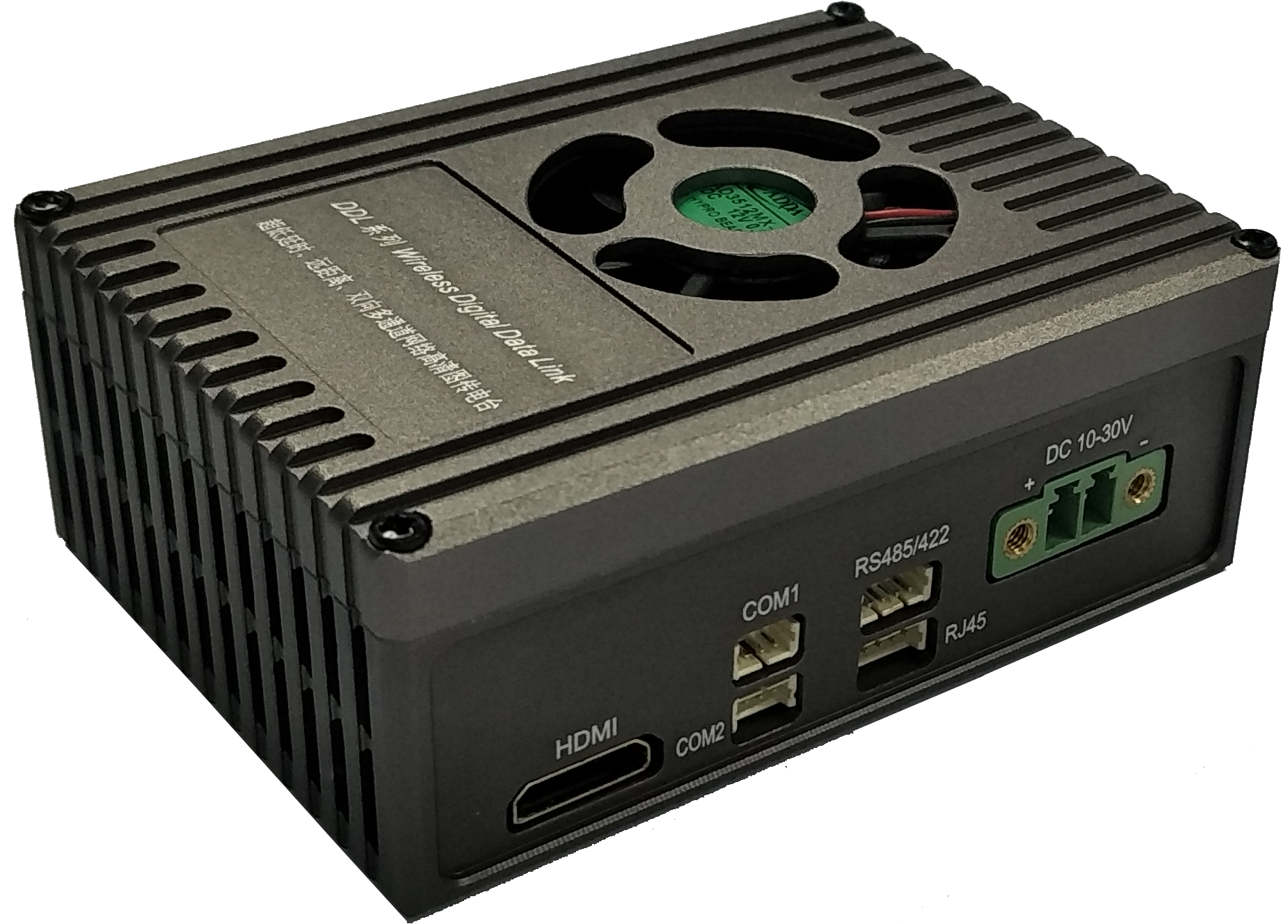
A video encoder is a tool that converts raw video into a digital format suitable for streaming or storage. It reduces large video files by using compression techniques, making them easier to transfer over the internet without sacrificing too much quality.
How Video Encoders Work
Encoders transform raw video into compressed files by analyzing the content and removing unnecessary data. They break down the video into keyframes and delta frames, ensuring efficient compression. A codec is used to apply the compression, while a container formats and stores the encoded video.
Codec vs. Container
A codec compresses the video, while a container stores both the video and audio, along with any metadata.
Key Functions of Video Encoders
Compression: Reduces file size to make streaming faster and more efficient.
Streaming: Ensures smooth playback on various devices, from smartphones to smart TVs.
Storage: Helps store compressed videos with minimal space usage.
Video encoders also play a role in adaptive bitrate encoding. This ensures the video quality adjusts based on the viewer’s internet speed, providing the best experience across devices and network conditions.
The Technology Behind Video Encoding
Codecs and Their Importance
A codec, short for "coder-decoder," is a tool used to compress and decompress video files. It reduces file size while preserving video quality. Without codecs, streaming large videos online would be nearly impossible.
Popular codecs include:
H.264: The most widely used codec for streaming due to its balance of compression and quality.
H.265 (HEVC): Offers better compression efficiency, ideal for high-resolution content like 4K.
VP9: A royalty-free codec used by platforms like YouTube for efficient compression.
AV1: An open-source codec designed to outperform H.265 and VP9 with even better compression.
Lossy vs Lossless Compression
Compression can either be lossy or lossless.
Lossless compression retains all original data, meaning no quality loss. It's used when preserving the full quality is crucial, like in video editing.
Lossy compression, on the other hand, discards data deemed unnecessary. While it reduces quality slightly, it's more efficient, making it ideal for streaming.
Streaming services favor lossy compression because it reduces file sizes significantly, which ensures smoother streaming even on slower connections.
Video Containers: What They Are and Why They Matter
A video container, such as .mp4, .mov, or .ts, holds the encoded video, audio, and metadata together in a single file. It determines how the video data is stored and played.
Choosing the right container is essential. For example, .mp4 is widely supported across devices, while .mov is commonly used with Apple products. The right container ensures compatibility and smooth playback across all platforms.
Video Encoding vs Transcoding: Understanding the Difference
What is Transcoding?
Transcoding is the process of converting a video from one format to another. This ensures compatibility across different platforms and devices. For example, a video encoded in .mov format might need to be transcoded into .mp4 for better playback on other devices.
Transcoding also involves adjusting resolution, bitrate, or frame rate to fit specific streaming needs, ensuring the video plays smoothly on all devices, regardless of the original format.
Video Encoding and Transcoding: Which is Which?
While video encoding and transcoding are related, they are not the same.
Video encoding refers to the process of compressing and converting raw video into a specific format using a codec. This step happens first, making the video ready for storage or transmission.
Transcoding, on the other hand, takes an already encoded video and converts it into a different format or adjusts its parameters for various use cases.
In streaming, encoding prepares videos for initial streaming, while transcoding ensures they are optimized for playback on different devices and networks.
Best Practices for Streaming Video Encoding
Choosing the Right Encoder for Your Needs
When selecting a video encoder, several factors should be considered to find the best fit:
Cost: Software encoders are often more budget-friendly than hardware solutions.
Performance: Some encoders offer faster processing, which is essential for live streaming.
Compatibility: Ensure your encoder works with the devices and platforms you are targeting.
Bitrate Requirements: Different video qualities require varying bitrates, so consider the streaming resolution and the viewer's internet speed.
Optimizing Encoding Settings
To achieve the best video quality while maintaining efficient bandwidth usage, focus on these key factors:
Resolution: Higher resolutions, like 1080p or 4K, provide better quality but require more bandwidth.
Bitrate: A higher bitrate generally improves video quality but increases file size. Find the right balance.
Frame Rate: A higher frame rate (60 fps) improves smoothness, but again, it uses more data.
Balancing these factors will ensure a good viewing experience while minimizing buffering, especially on slower connections.
Hardware vs Software Encoders
Video encoders come in two main types: hardware and software.
Hardware encoders are dedicated devices optimized for encoding. They provide faster processing speeds and higher reliability, especially for live events.
Software encoders, on the other hand, run on a computer. They are versatile and more affordable but can be slower and use more system resources.
Top Video Encoding Solutions for Streaming
Best Video Encoders for Live Streaming
When it comes to live streaming, choosing the right encoder is crucial for delivering high-quality streams. Some of the top video encoders include:
OBS Studio: A free, open-source software that's popular for streaming on platforms like Twitch and YouTube. It provides excellent flexibility for customizing streams.
Wirecast: A professional-grade software encoder offering advanced features like live video mixing and multi-camera streaming.
vMix: Known for its powerful live production features, vMix supports video encoding, mixing, and streaming in one package.
These tools help compress raw video while ensuring it maintains high quality. By using efficient compression algorithms, they make streaming smooth and accessible across various devices.
Next-Gen Encoders for Better Performance
New technologies are constantly improving video encoding. The latest encoders offer even better performance, efficiency, and quality. Key innovations include:
AV1 Codec: Known for its superior compression rates, AV1 is gaining popularity for high-quality, low-bitrate streaming.
pMDDL Wireless Data Link: This technology boosts video streaming efficiency by optimizing data transmission, reducing latency, and improving overall quality. It is especially useful in challenging network conditions, ensuring smooth playback even on unstable connections.
These next-gen solutions help achieve more reliable, higher-quality streams, providing viewers with an uninterrupted experience.
Advanced Features in Video Encoding
Adaptive Bitrate Streaming
Adaptive bitrate streaming (ABR) is a technique used to adjust the quality of a video stream based on the viewer’s internet speed. As a viewer’s network connection fluctuates, ABR ensures smooth playback by delivering the best possible video quality without buffering.
ABR is crucial for streaming because it enables videos to play on various devices, even in environments with poor or inconsistent internet connections. This feature enhances the user experience by avoiding interruptions and providing clear video at all times.
Multi-Codec Support
Supporting multiple codecs is essential for delivering streams to a wide range of devices. Different devices and platforms support different codecs. For example, older devices might not support newer codecs like AV1, while newer devices may struggle with older formats like H.264.
By using multiple codecs, streaming platforms ensure compatibility across all devices, from smartphones to smart TVs. This flexibility also improves streaming performance, allowing content to reach more viewers without compromising quality.
Conclusion
Choosing the right video encoder is crucial for successful streaming. It ensures high-quality, smooth playback across devices and networks.
As streaming technology evolves, newer encoders like AV1 and adaptive bitrate streaming will shape the future. These innovations will improve video quality, efficiency, and accessibility for users worldwide.
FAQ
Q: What is the Best Codec for Streaming?
A: Popular codecs include H.264 for compatibility, H.265 for high efficiency, VP9 for royalty-free streaming, and AV1 for superior compression.
Q: Why is Video Encoding Important for Streaming?
A: Video encoding compresses files, enabling efficient streaming with reduced buffering, ensuring smooth playback even on slow connections.
Q: Can I Use Multiple Codecs in Streaming?
A: Yes, multi-codec delivery ensures compatibility across different devices and platforms, offering the best experience for various viewers.
Q: How Do I Optimize Video Quality for Streaming?
A: Optimize resolution, bitrate, and frame rate to balance video quality and streaming efficiency, adjusting settings based on user needs.


